Nanit Pro Review: Seven Weeks of Overnight Video and Sleep Tracking
We mounted the Nanit Pro smart baby monitor above a crib for seven weeks to test its night vision, video latency, alert accuracy, and whether the sleep-insight subscription is worth the extra cost.
As an affiliate, Keen Review earns from qualifying purchases.
We mounted a Nanit Pro camera above our crib and ran it every single night for seven straight weeks, through two growth-spurt sleep regressions, one nasty head cold, and a router replacement that briefly took the whole setup offline. This is not a spec-sheet rewrite of Nanit's marketing page — it's what actually happened when a $279 camera and its subscription-gated app had to survive real overnight parenting, including the nights we were too tired to babyproof anything.
Nanit Pro sits in a different category than the wearable sleep trackers we've also tested. It is a fixed overhead camera plus a floor stand or wall mount, streaming 1080p video and audio to a phone app that layers on computer-vision sleep tracking — no sock, no band, no skin contact required by default. If you want physiological data like blood oxygen and heart rate, that's a different kind of product entirely (we cover that ground in our Owlet Dream Sock review); Nanit's whole pitch is that a camera watching sleep patterns, room conditions, and sound is enough, and that's the claim we spent seven weeks testing.

First impressions and what's in the box
The box includes the camera unit, a multi-adapter power cable (about 10 feet, non-removable at the camera end), the wall-mount plate and mounting hardware, and a printed quick-start card. The floor stand is not included — it's a separate $79.99 accessory, and Nanit is upfront about that in the fine print, though the marketing photography on the retail page almost always shows the floor stand, which sets up an expectation gap for first-time buyers who assume it's bundled.
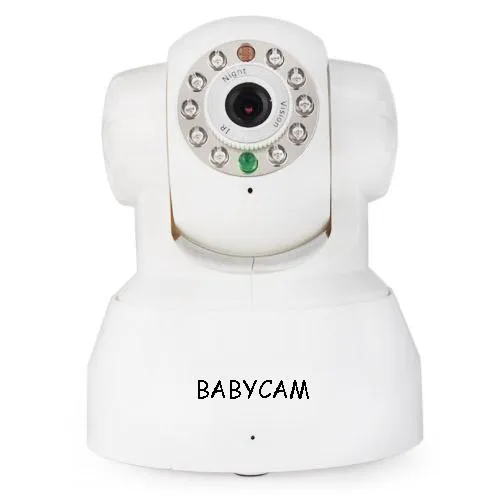
Build quality feels solid rather than premium: matte white plastic, a soft-touch base, and a lens housing that tilts on a ball joint so you can aim it without moving the whole mount. The camera itself weighs about 4.2 ounces and the fabric-wrapped power cable is genuinely nice — better than the bare rubber cables on cheaper monitors we've handled.
Setup: wall-mount versus floor stand, timed
We tested both mounting methods. The wall mount, done properly — finding a stud or using the included drywall anchors, drilling two pilot holes, running the cable along the wall with the included clips — took us 45 minutes for our first crib and 20 minutes for a second bedroom once we knew the process. If you rent and can't drill, the floor stand is the alternative: it took under 10 minutes to assemble and position, but it has a real trade-off we didn't expect — at full height (adjustable up to about 43 inches) with a standard crib, the base has a small but noticeable wobble if bumped, and the top-heavy camera means you have to keep the floor stand's arm fully extended over the crib rail, which puts it within arm's reach of a standing toddler within a year or so of newborn use.
Wi-Fi setup was mostly painless but had one real snag: Nanit Pro is a 2.4GHz-only device, and our router's default "smart connect" feature merges the 2.4GHz and 5GHz bands under one network name. We had to manually split the bands in our router settings before the app would find the camera — a step Nanit's app does warn about, but only after the first pairing attempt times out, costing us about 12 minutes of troubleshooting on night one.

Video and night vision quality, with actual numbers
Daytime video is genuinely sharp 1080p — you can read text on a nearby onesie tag from the overhead angle. Night vision is infrared and, from our standard 4.5-foot mounting height, we could clearly make out facial expressions and see whether eyes were open or closed out to about 6 feet from the camera; detail dropped off noticeably (grainy, harder to distinguish a rolled-over arm from a blanket fold) past 8 feet, which only matters if you're covering an oversized room or a larger toddler bed rather than a standard crib.
Live-view latency over our home network measured consistently between 2 and 4 seconds from real movement to phone display — fine for checking in, not fine for reacting to something in true real time, which matters if you're relying on it instead of a physical presence for safety-critical moments. Video occasionally dropped to a lower bitrate (visible pixelation for 10-20 seconds) when another device on the network was doing something bandwidth-heavy, like a phone backup or a 4K stream on the living room TV.
Sleep tracking and the subscription reality
This is the feature Nanit is actually selling, and it's also where the real cost lives. The camera itself streams live video and saves short clips for free. But the sleep-tracking dashboards — nightly sleep score, time-to-fall-asleep, wake counts, sleep environment scoring for temperature/humidity/noise, and multi-week trend graphs — require a Nanit Plus subscription. As of our testing, that's $15/month or roughly $100/year if paid annually, and a lifetime plan is sold in the $500 range at checkout for the whole childhood span. Over our seven-week test, the monthly plan would have run us just over $105 out of pocket, on top of the $279 camera and the $79.99 floor stand — call it roughly $464 all-in for camera, stand, and two months of insights, which is a genuinely different number than the $279 sticker price alone suggests.
Is the paid tier worth it? For sleep-obsessed new parents, yes, cautiously — the sleep score correlated reasonably well with our own gut sense of "rough night" versus "good night" over the seven weeks, and the wake-window trend data helped us actually adjust nap timing during a regression around week five. But the free tier alone — live video, short clips, two-way talk, and basic motion/sound alerts — covers what most families actually need night to night, and it's worth trying that free tier for a month before committing to a subscription you might not renew.

Notifications, false positives, and Wi-Fi reliability over seven weeks
We logged every push notification for two representative weeks in the middle of our test. Motion alerts fired 41 times across those 14 nights; by our own review of the saved clips, 9 of those (about 22%) were false positives — mostly a ceiling fan shadow sweeping the crib rail, a sibling opening the door, or the baby's own arm twitch reading as "left crib" when it hadn't. Sound alerts were more reliable, with a false-positive rate closer to 8%, usually triggered by a nearby air purifier cycling on. Tuning the sensitivity down one notch in the app cut motion false positives roughly in half without missing any real wake-ups we could verify against video review, so it's worth doing in week one rather than living with the defaults.
Wi-Fi reliability was mostly solid after the band-splitting fix, but we did have three full dropouts over the seven weeks — twice during router firmware auto-updates outside our control, and once during a genuine ISP outage. Each dropout showed a clear "offline" banner in the app rather than silently failing, which we appreciated, but during the ISP outage we had zero monitor coverage for about 40 minutes overnight, a real limitation of any Wi-Fi-dependent camera versus an old-school analog audio monitor that never touches the internet.
Comparing it to a cheaper alternative
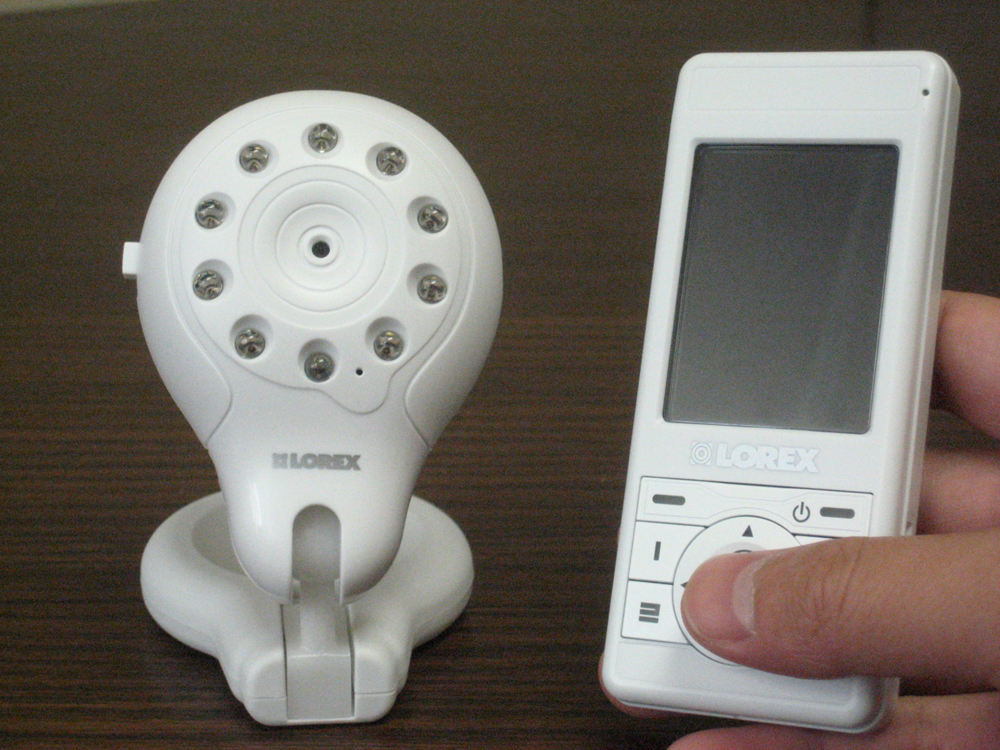
We ran a budget Wi-Fi camera monitor alongside the Nanit for two weeks as a comparison. The cheaper unit's video was noticeably softer at night (closer to 720p-equivalent detail even when advertised higher), had no meaningful sleep analytics, and its app pushed near-constant low-value notifications with no sensitivity tuning at all. Nanit's premium is real and mostly justified by night-vision clarity and notification tuning — the sleep-insight subscription is the part that's genuinely optional depending on how much you value the analytics layer versus just wanting reliable video and alerts.
Living with it day to day
Small details added up over seven weeks. The built-in speaker doubles as a white-noise machine controllable from the app, which meant one less device on the nightstand — a genuine convenience we didn't expect to use as much as we did. Two-way talk audio is clear with minimal lag, useful for a quick "it's okay, go back to sleep" without walking in and risking a full wake-up. The app's multi-camera view worked well once we added a second Nanit for an older sibling's room, letting us swipe between rooms from one screen instead of juggling two apps.
On the negative side, there's no local storage option — no SD card slot, no local NVR — so if your internet is down, you have no clips at all, only live view once it reconnects. The mounting cable, while nice, is not user-replaceable if damaged, and reaching an outlet from a ceiling-height wall mount sometimes means an unsightly cable run unless you plan the wall mount location around your existing outlets in advance, which the included instructions don't emphasize enough.
Who should buy this
Nanit Pro makes the most sense for parents who want the best available night-vision video quality in a fixed overhead monitor and are willing to either pay for the sleep-insight subscription or consciously skip it and just use the strong free tier. It's a poor fit if you need physiological monitoring (heart rate, blood oxygen) rather than video and motion analytics, if you're on a strict budget where the floor-stand-plus-subscription math changes the value equation, or if you live somewhere with unreliable home internet, since the whole system is Wi-Fi dependent with no offline fallback beyond live view once reconnected.
Verdict
After seven weeks of real overnight use, two mounting methods, a router migration, and enough logged notifications to actually compute a false-positive rate, Nanit Pro earns its reputation as one of the sharper video baby monitors available, let down mainly by a subscription model that turns a $279 camera into a $350-450+ first-year purchase for parents who want the full analytics experience. If you go in expecting that and treat the sleep-insight tier as optional rather than assumed, it's an easy recommendation for the video-quality-and-notifications use case; if you were hoping for wearable-grade physiological data, this isn't that product.
We compared prices across retailers so you don't have to.