
Home Security Camera Buying Guide: Local vs. Cloud Storage
A practical, balanced buying guide to home security cameras that weighs local storage against cloud subscriptions, wired versus battery power, camera placement, night vision, smart detection accuracy, and smart home integration.
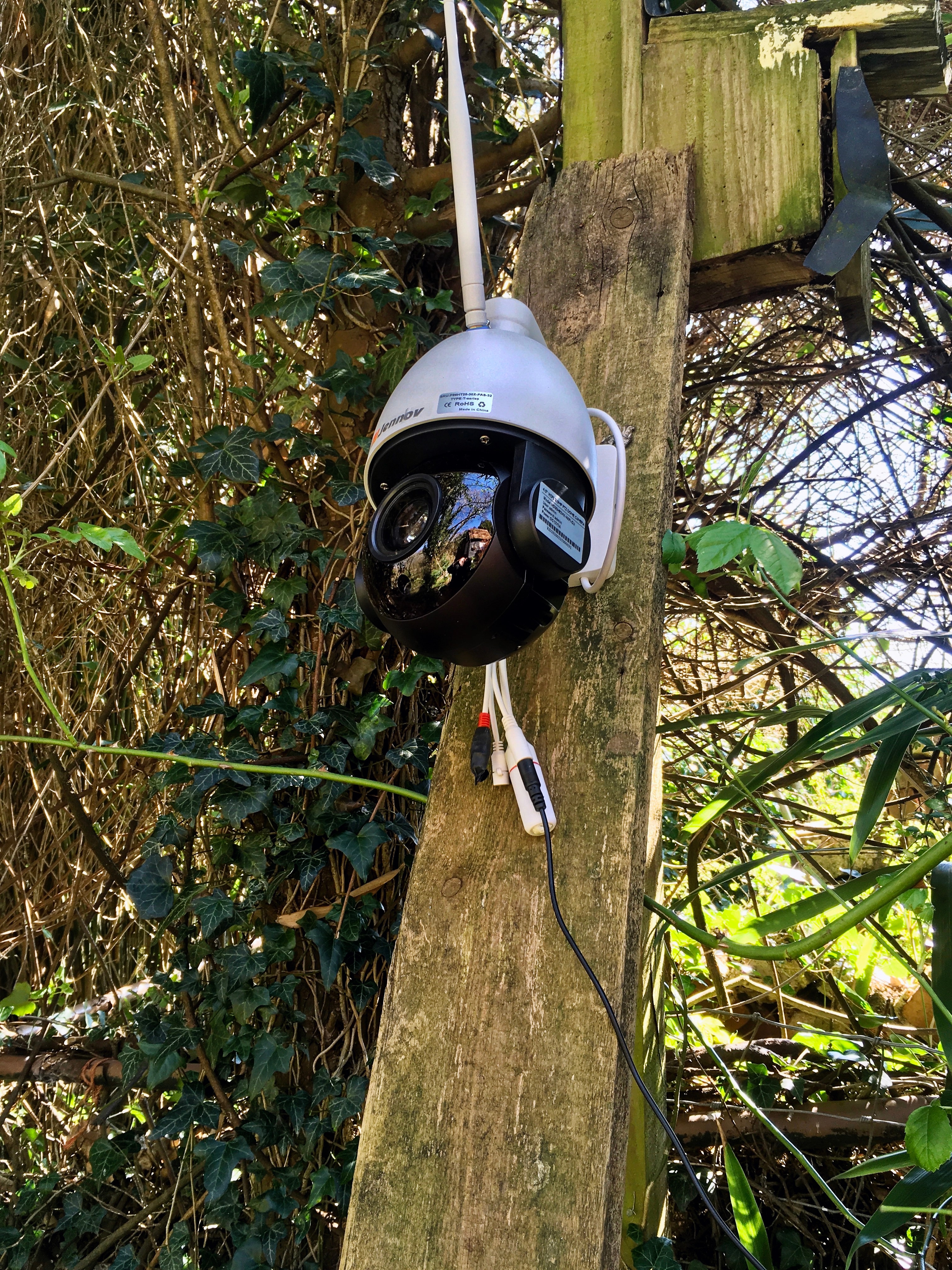
Buying a home security camera used to mean choosing a brand. Now it means choosing an entire data strategy: where your footage lives, who can access it, how much it costs over five years instead of one, and whether the camera still works when your internet goes down. Those questions matter more than megapixels, and most buying guides skip them entirely.
This guide is for anyone shopping for their first camera system, or replacing an aging one, who wants to understand the tradeoffs before committing to a brand's ecosystem. We're not going to tell you there's one "best" camera. There isn't. There's a best fit for your house, your budget, and how much you value convenience versus control.
The quick answer
If you want the short version before the details: choose cloud storage if you want remote access from anywhere, easy multi-camera search, and don't want to manage hardware — and you're comfortable paying a recurring fee indefinitely. Choose local storage (SD card or a local hub/NVR) if you want to avoid subscription fees, keep footage off a third party's servers, and you're willing to accept that a stolen or destroyed camera can take your only copy of the footage with it. Many households end up happiest with a hybrid: local storage as the primary record, cloud as a backup for the few clips that matter.

Local storage vs. cloud storage: the real tradeoffs
This is the decision that shapes everything else about a camera system, and it's the one most shoppers give the least thought to at purchase time — usually because the sticker price on the camera hides the ongoing cost of the storage plan behind it.
Cost over time
A camera with local storage — a microSD card in the camera body, or a hub/NVR (network video recorder) that a set of cameras feed into — has a cost that's mostly front-loaded. You pay for the camera, maybe a card or a hub, and that's close to the total bill. A cloud-storage camera is often cheaper or even free at checkout, but the subscription is where the company recoups the discount. Plans commonly run $3 to $10 a month per camera, or $10 to $20 a month for a whole-home plan covering multiple cameras. Run that out five years and a single-camera subscription can cost more than three or four cameras purchased outright. If you're outfitting a house with six or eight cameras, the gap between "local" and "cloud, five years in" can run into four figures.
What happens if the camera is stolen or destroyed
This is the tradeoff cloud-storage marketing rarely leads with, and it's the strongest argument in cloud's favor: if someone steals, smashes, or disables a camera that only stores locally, the footage of them doing it usually goes with the camera. A local recording is only as safe as the physical device holding it. Cloud storage uploads footage continuously (or in near-real-time clips) to a remote server, so even if the camera itself never survives the encounter, the video already left the building before the camera did. If porch piracy, break-ins, or vandalism are a real concern for your specific location, that one scenario can outweigh years of subscription cost. A hub-based local system is a middle ground — the hub is usually kept indoors, out of reach, so only the exposed camera (not the recording) is vulnerable, which meaningfully reduces this risk compared with an SD card sitting inside the camera you just watched someone rip off the wall.
Privacy
Local storage means your footage never leaves your property unless you choose to export it. No third party has a copy, no server breach can expose your driveway to a stranger, and there's no company policy update to worry about down the road. Cloud storage means your footage lives on a vendor's servers, governed by that vendor's terms of service, retention window, and security practices — and by the access controls (or lack of them) around employee tooling and law-enforcement request policies. That's not automatically a dealbreaker; reputable vendors encrypt footage and publish transparency reports. But if privacy is a priority, read the specific vendor's data-retention and third-party-sharing policy rather than assuming "encrypted" means "private by default."
Wired vs. battery-powered cameras
Independent of where footage is stored, cameras split into wired and battery-powered designs, and this choice affects both reliability and where you can actually put a camera.
Wired cameras — hardwired into household power or, for doorbell cameras, into existing doorbell wiring — run continuously and never need a battery swap or recharge. They're the better choice for a camera that needs to record around the clock (a driveway or entry point you check constantly) rather than only on motion. The tradeoff is installation: running power to a spot without existing wiring means drilling, fishing cable, or hiring an electrician, which limits placement to wherever wiring is practical.

Battery-powered cameras go anywhere: a shed, a side gate, a spot on the fence line with no outlet nearby. That flexibility is the entire appeal, and it's real — for a lot of houses, the "best" camera placement is somewhere wiring will never reach. The cost is maintenance. Batteries typically last one to six months depending on activity level, temperature, and how much motion-triggered recording the camera does, and cold weather shortens battery life noticeably. If a battery camera guards your only entry point, plan for a rotation schedule (a second charged battery you swap in, rather than waiting for a dead one) so you're never blind for the charging window.
Doorbell cameras are usually wired, either hardwired into existing low-voltage doorbell wiring or plugged into a standard outlet, which is one reason they tend to have fewer battery-anxiety complaints than clip-on battery cameras elsewhere on the property. If you're specifically comparing doorbell cameras, our Ring Video Doorbell review covers one of the more common wired/hardwired options in detail, including its own take on subscription-gated features and how it fits into the cloud-versus-local decision above.
Field of view and placement mistakes
A camera with excellent specs pointed at the wrong angle is worse than a mediocre camera pointed correctly, and placement mistakes are the single most common reason people are unhappy with a system they otherwise researched carefully.
- Too high, too steep an angle. Mounting a camera under the roofline and angling it sharply downward gives you a great view of the top of someone's head — useless for identification. Aim for a height around 8-10 feet with a shallower downward angle that captures faces.
- Backlighting. A camera facing east or west catches direct sun at sunrise or sunset, which silhouettes anyone standing in frame and blows out the rest of the image. Face cameras north or south where possible, or rely on HDR-capable sensors if you can't avoid it.
- Over-relying on one wide shot. A single wide-angle camera covering "the whole driveway" often can't resolve a face or license plate at the far edge of that field of view. A narrower lens on the approach path, paired with a wider one for context, usually beats one camera trying to do both jobs.
- Ignoring dead zones. Fences, parked cars, and landscaping create blind spots that don't show up until after an incident. Walk the property at the height of a person, not standing at the mounting point, to check what's actually visible.

Night vision and color night vision
Most cameras made in the last several years include infrared (IR) night vision, which illuminates the scene with light invisible to the human eye and records in black-and-white. It works reliably in total darkness and doesn't need external light, but it produces monochrome footage with limited detail at range — enough to tell that a person is present, not always enough to describe their clothing.
Color night vision is a newer feature that uses a larger image sensor and, usually, a built-in spotlight (visible white or warm light, not infrared) to keep recording in full color after dark. The benefit is real: a color image of an intruder's jacket or a vehicle's paint color is far more useful to police than a grainy monochrome silhouette. The tradeoffs are that the spotlight announces the camera is recording (which can be a deterrent or a downside depending on your goal), draws more power (a meaningful concern for battery cameras), and can still struggle in genuinely pitch-black conditions with no ambient light at all, where traditional IR remains more reliable. Many current cameras let you switch between the two, or use color only when motion is detected, which is a reasonable compromise between detail and battery life.
Person, package, and vehicle detection accuracy
Smart detection — the camera or its app claiming to distinguish a person from a passing car, a delivered package from a fallen leaf — is one of the most-marketed features and one of the most inconsistently delivered. It matters because it's the difference between a handful of relevant notifications a day and dozens of alerts for every moving shadow and tree branch.
A few realities worth knowing before you buy on this feature alone: detection accuracy drops in low light, at long range, and in cluttered scenes with lots of background motion (traffic, trees, pets). Package detection specifically tends to be the least reliable of the three — small, static objects placed among other porch clutter are genuinely harder for a model to isolate than a moving person or car, and false negatives (missing a delivery entirely) are common. Vehicle detection is generally the most reliable, since cars are large, fast-moving, and distinct in shape. Cameras that process detection locally on the device, rather than uploading video to the cloud to run detection there, tend to notify faster and don't depend on an internet connection to flag a person at the door, which matters more than it sounds like until your internet is down during a delivery.
Treat detection-accuracy marketing claims skeptically and, where possible, check recent independent reviews before assuming a given camera's "smart alerts" will actually cut your notification noise to a manageable level.

Local network vs. internet dependency
It's worth separating two different kinds of "connected" before you buy. A camera that only needs your local Wi-Fi or a wired local network to record and to let you view footage from a phone on the same network is far more resilient than one that routes everything — live view, alerts, even local playback — through the vendor's cloud servers, even when you're standing five feet from the camera on your own network.
The practical stakes: if your internet service goes down, a cloud-dependent camera typically stops recording new cloud clips and can't be viewed remotely, even though the camera itself and your home network are both fine. A camera built around local (NVR/hub) storage generally keeps recording locally through an internet outage — you just lose remote viewing until service is restored. For most break-ins and package thefts, that's the more useful failure mode, since the recording is what you need afterward, not necessarily a live push notification in the moment.
Some higher-end systems add a cellular backup specifically to solve this, maintaining connectivity for alerts and remote access even if the home's landline internet is cut — a detail worth checking if your area has a history of outages, or if you're concerned about a break-in deliberately targeting your router or cable line first.

Integration with existing smart home platforms
If you already have smart speakers, a smart lock, or other connected devices, camera compatibility with that ecosystem saves real friction. Cameras that integrate with major smart home platforms typically let you pull up a live feed on a smart display, add camera-triggered automations — "turn on the porch light when motion is detected after dusk," for example — and manage everything from a single app instead of three.
Before buying, check which platforms a camera actually supports natively versus through a clunky workaround, and whether local integrations require a paid subscription tier. Some brands gate smart home integration, or even basic live view, behind their higher subscription plan, which changes the real cost comparison from the "cost over time" section above. If you're mixing brands — a camera from one company, a lock from another, a hub from a third — confirm they share a common integration standard rather than assuming compatibility, since fragmented ecosystems are one of the more common regret points buyers report after the fact.

A decision framework: matching the camera to the household
Rather than chasing a single "best" system, work through these questions in order — each one narrows the field considerably.
- How many years do you expect to keep this system? A short horizon — renting, might move in a year or two — favors cloud, since there's no sunk hardware cost to lose if you leave. A long horizon — an owned home, staying five-plus years — tips the math toward local storage or a one-time NVR purchase, since the subscription savings compound.
- Is a stolen or destroyed camera your biggest fear, or is a data breach? If theft or vandalism worries you most, weight cloud storage (or at minimum a hub kept indoors) heavier. If a third party holding your footage worries you most, weight local storage heavier.
- Do you have accessible power at every spot you want a camera? If yes everywhere, wired options remove battery maintenance from the equation entirely. If no, battery cameras with a battery-swap routine, or solar-assisted models, fill the gaps.
- How reliable is your internet and power? Frequent outages push toward local recording and, if budget allows, cellular backup for remote alerts.
- What's already in your smart home stack? Match the camera brand to your existing ecosystem before comparing specs, since a camera that doesn't talk to your other devices adds a permanent daily inconvenience no spec sheet captures.
The bottom line
There's no universally correct answer to local versus cloud, wired versus battery, or which brand's detection algorithm is sharpest this year — every one of those trades a cost against a convenience, and the right trade depends on your house, your budget, and what specifically you're worried about. What does hold true across every setup: walk your property and check camera angles at eye level before finalizing placement, budget for the subscription over years rather than months if you're going the cloud route, and don't let a flashy detection-accuracy claim substitute for reading how a camera actually behaves in reviews from people who've lived with it through a full season of weather. A modest system installed thoughtfully beats an expensive one mounted in the wrong spot.